Last Updated: November 22, 2026
Quick Summary
An ethical 3D asset marketplace is a platform where creators are paid fairly, their work is used only with clear permission, and buyers can see exactly what licence applies to each asset. Look for named creators, plain-language licence terms, published fees and clear rules on AI training.
- Read the per-asset licence, not just the marketplace’s top-level terms, before buying or listing.
- Check whether the licence covers commercial use, derivative works and redistribution in plain language.
- Compare payout framework details, including holding periods, minimum thresholds and refund deductions, not just headline commission.
- Confirm the platform states how assets are used for AI training and whether creators can opt out.
- Test a platform with a small purchase or single listing before committing larger projects.
Table of Contents
- What an Ethical 3D Asset Marketplace Actually Means
- The Best 3D Model Marketplace Depends on Your Role
- Checking Licence Clarity for Commercial and Derivative Use
- Ethical Methods for Sourcing 3D Models
- Creator Payouts and Compensation Transparency
- Selling 3D Models Online Without Giving Up Your Rights
- Building Your Own Shortlist Before You Commit
- Frequently Asked Questions
What an Ethical 3D Asset Marketplace Actually Means
An ethical 3D asset marketplace is a platform where creators are paid fairly, their work is used only with clear permission, and buyers can see exactly what they are allowed to do with each asset.
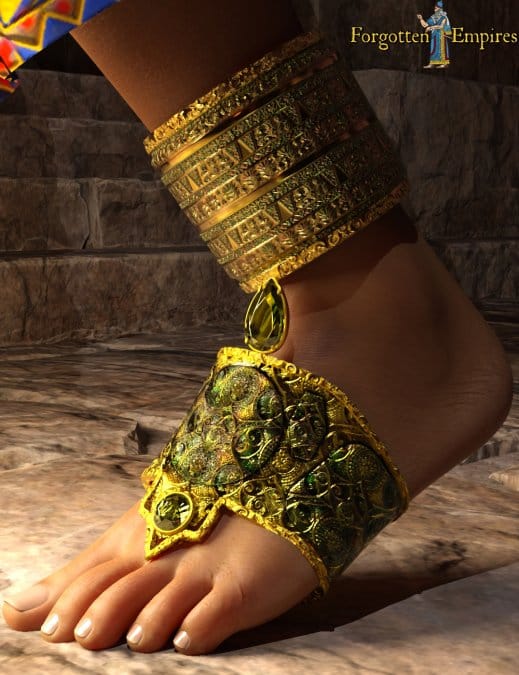
An ethical marketplace shows you who made each asset, what the licence allows, how creators are paid, and how it handles content taken without consent. If a platform cannot answer those questions clearly, the word “ethical” is doing the work that evidence should be doing.
The Best 3D Model Marketplace Depends on Your Role
The right marketplace depends on whether you are buying, selling, or doing both. A freelance artist building a character library needs different things from a studio sourcing props or a creator listing their own outfits.
Buyers should weigh licence clarity, file compatibility with their pipeline, and format availability. Sellers should look at fee structures, payout schedules, and how the platform handles refunds and disputes. Many artists move between roles, so compare platforms on both sides before committing.
Pipeline compatibility matters most for DAZ Studio users. Check whether assets are built for Genesis 8, Genesis 8.1 or Genesis 9.
Checking Licence Clarity for Commercial and Derivative Use
Licence terms decide what you can actually do with a 3D asset, so read them before you buy.
For Daz Studio users, licence clarity has an extra layer. A Daz asset is usually built on a base figure (Genesis 8, Genesis 8.1 or Genesis 9) and may bundle third-party components such as textures, hair cards, or scanned fabric patterns, each carrying its own terms.
Work through the following clauses in order. Each maps to a real decision a creator has to make before listing or buying.
- Commercial use. Confirm the licence explicitly permits use in work you are paid for, including client commissions, crowdfunded projects, and products sold through a store. A licence that says “personal use only” rules out all three, even if the render is never redistributed as a file.
- Derivative works. Check whether you can modify the asset, reshaping a garment with a custom morph, repainting a texture, or combining two props into a single scene, and whether the modified version inherits the original licence. A morph or texture you build on top of an asset may fall under the original terms, which matters if you intend to sell the morph as a standalone product.
- Redistribution. Distinguish between distributing a render (an image or video of the asset in a scene) and distributing the asset file itself. Most licences permit the first and forbid the second. If you plan to include the asset inside a game build, an interactive experience, or a 3D print file, check whether that counts as redistribution under the specific terms.
- Attribution. Note whether credit is required, and in what form. Some licences ask for a creator name in the project credits; others do not. Record the exact wording so you can comply without guesswork.
- Client work and sublicensing. If you deliver a scene to a client, confirm whether the client inherits any rights to the asset or whether the licence stays with you. A licence that forbids sublicensing means the client cannot reuse the asset in their own future projects, which is a point worth raising before the contract is signed.
- AI training and synthetic use. Check whether the licence permits the asset to be used as training data or as input to a generative system. This clause is increasingly present and is often buried in a separate section from the main commercial terms.
Keep copies of the licence with your project files. If a marketplace changes its terms later, you will still have proof of what you agreed to.
Watch out: a licence that is silent on a specific use is not the same as a licence that permits it. Silence usually means the use is unaddressed, and unaddressed uses are the ones most likely to be disputed later.
For creators listing their own work, the same clauses apply in reverse.
Ethical Methods for Sourcing 3D Models
Ethical sourcing means knowing where an asset came from and whether its creator agreed to sell it. Buy from platforms that verify creators and publish their policies, and avoid listings with no seller information, since an unnamed seller gives you no way to check the work.
Ask whether the marketplace has a process for responding to claims that a model was copied or used without permission.
Asset Provenance and Rights Verification
Provenance is the record of who made an asset and what rights they hold. For a 3D model, that means knowing the original creator, confirming that they had the right to sell it, and checking whether any third-party elements (textures, scans, or reference images) are properly licensed.
A useful check is whether the listing names the creator and links to a profile with a history of original work. If a model appears on several platforms under different names with no clear origin, treat that as a warning sign.
AI Training, Synthetic Assets and Consent
AI training is now a live concern for 3D creators. Some marketplaces and tools use uploaded or sold models to train generative systems, which may not match what the creator expected when they listed the work. Before you sell or buy, check whether the platform states how assets are used for AI training and whether creators can opt out.
Synthetic assets, which are generated rather than hand-made, raise related questions about consent and attribution. An ethical marketplace should make it clear whether a listing is human-made, AI-assisted, or fully generated, so buyers can make an informed choice. Clear labelling helps buyers assess consent and attribution, while knowing how to spot AI generated art can sharpen that judgement.
Creator Payouts and Compensation Transparency
Creators should be able to see how much they earn, what fees are taken, and when payment arrives. Compare marketplaces on commission rates, flat monthly fees, and payment schedule.

The gap most marketplace guides leave open is the difference between the headline commission and the amount that actually reaches your account.
- Commission and platform fees. Establish the percentage the marketplace retains on each sale, then check whether that percentage applies to the gross sale price or to the price after payment processing. A commission quoted on the gross figure and a commission quoted on the net figure can look identical in a marketing page and behave very differently at payout.
- Payment schedule and holding period. Note how often payouts are issued (monthly, quarterly, on request) and whether there is a holding period before funds become available. A holding period is common and is usually there to cover refunds, but it affects cash flow and should be planned for rather than discovered.
- Minimum payout thresholds. Check the minimum balance required before a payout is released. A high threshold can leave small sellers waiting several cycles before they see any money, which matters most in the first months of a new store.
- Refunds and chargebacks. Ask how refunds are handled and who absorbs them. On many platforms a refunded sale reverses the creator’s share as well as the platform’s, and a chargeback may carry an additional administrative deduction. Read the section on disputes alongside the section on fees, because the two interact.
- Currency conversion and transfer charges. If you are paid in a currency different from your own, note the conversion rate applied and any transfer charge. These are often small per transaction but compound across a year of sales.
Ask how sales are reported and whether you can export your earnings history. An exportable ledger is the difference between trusting a dashboard and reconciling your own accounts.
Watch out: a commission rate quoted in isolation tells you very little.
For Daz Studio publishers, payout transparency has an extra dimension because assets are often sold as bundles and may be discounted during store-wide events.
Revisit the framework whenever terms change. Marketplaces revise commission structures and payout rules periodically, and a platform that was transparent last year may have added a clause since.
Selling 3D Models Online Without Giving Up Your Rights
You can sell 3D models without signing away ownership, but only if you read the platform’s terms carefully. Some marketplaces ask for broad licences to your work that let them reuse, modify, or sublicense it. Others only ask for permission to host and sell it under rules you control.
Look for a clear statement that you keep copyright, that you can remove listings, and that the platform will not use your work for purposes you have not agreed to. Read how we approach creative equity and rights retention for the principles behind fair selling. Creative equity, meaning fair treatment and retained rights for the people who make the work, should be a stated principle rather than an assumption.
Building Your Own Shortlist Before You Commit
Start with three or four marketplaces and score each one against the same criteria. A simple checklist works well:
- Licence terms cover commercial and derivative use in plain language
- Creators are named and verifiable
- Fees, commissions and payout schedule are published
- The platform states how assets are used for AI training
- Refund and dispute processes are clearly described
- Assets are available in the formats and generations you use
- You keep ownership of your work if you sell
Test the platform with a small purchase or a single test listing before committing larger projects. Note how long support takes to respond and whether the answers are specific. A marketplace that is open about its rules during a small transaction is more likely to stay open when something goes wrong.
Revisit your shortlist every few months. Terms and policies change, and an ethical marketplace today may not stay that way without someone checking.
Frequently Asked Questions
Which marketplace is the best for selling 3D models?
The best marketplace depends on your goals, so compare platforms on criteria rather than popularity alone. Check the commission or fee structure, how payouts are scheduled, whether you keep control of your licence terms, and how the platform handles content moderation and disputes. Read the creator terms closely, because a marketplace that takes a larger share but gives clear licence and payout rules may serve you better than one with a lower fee and vague policies. Visit each platform’s creator pages for current terms.
Is there a marketplace for 3D models?
Yes. Several online marketplaces sell and license 3D models, covering characters, props, environments, clothing and other digital assets for games, 3D printing, VR and AR, and design projects. Some specialise in particular software formats, such as assets built for DAZ Studio or Blender. When you assess any marketplace, look at the licence wording, the provenance of each asset, and whether creators are credited and paid transparently.
How can creators check whether a 3D model is ethically sourced?
Start with provenance: confirm the creator is the original author or holds documented rights to the work, and look for clear attribution. Check that the licence explicitly covers your intended use, including commercial and derivative work. Review whether the marketplace has a stated policy on AI training, synthetic assets and consent, and whether it moderates uploads for copyright infringement. A marketplace that publishes these policies in plain language and responds to rights complaints is generally a stronger choice than one that does not.
Can you use marketplace 3D models in commercial projects?
Often yes, but only within the terms of the specific licence attached to each asset. Some licences allow commercial use in games, films or products, while others restrict redistribution, resale or use in certain industries. Read the licence for every asset you intend to use, confirm whether modifications are permitted, and keep a record of the licence version you purchased. If the terms are unclear, contact the creator or marketplace before publishing a commercial project.
