Last Updated: 10 November 2026
Quick Summary
Digital asset management is worth it for freelancers once finding files takes longer than the creative work they support. Cloud storage holds files, but digital asset management indexes them with searchable metadata, version links and licence records. If you cannot locate an asset within a minute or two using folders and filenames, it is time to consider a dedicated system.
- Cloud storage holds files, while digital asset management indexes them for searching.
- Test your library by finding assets matching a compound condition in under a minute.
- Organise folders and naming consistently before buying any software.
- Choose a short metadata schema of five to eight fields you will actually fill in.
- Check export options and test them on day one before investing hours in tagging.
Table of Contents
- Is Digital Asset Management Worth It for Freelancers?
- Digital Asset Management vs Cloud Storage: What Actually Differs
- How to Organising Digital Assets Before You Buy Anything
- 3D Asset Library Organisation: Models, Textures and Presets
- Digital Asset Management Software for Freelancers: What to Look For
- Cost-Benefit Check: When DAM Pays for Itself
- Booking Your Next Step With Matronius Tools
- Frequently Asked Questions
Is Digital Asset Management Worth It for Freelancers?
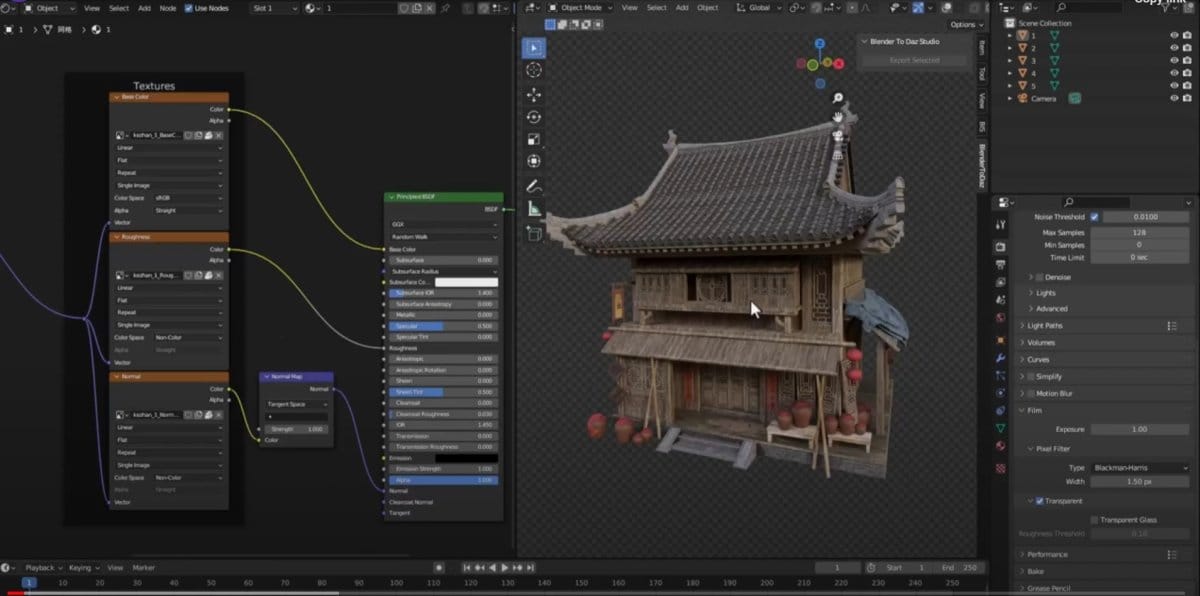
Digital asset management is worth it for freelancers once their file library starts costing them time. For most solo 3D artists, the tipping point comes when searching for a specific model, texture or preset takes longer than the creative work it supports. Matronius builds workflow plugins for DAZ Studio, Blender and Photoshop, which are designed to automate installation and rig transfers so artists can spend less time on housekeeping.
This guide explains the signs that you need digital asset management, what it does differently from cloud storage, and how to decide whether the cost makes sense for your studio.
Digital Asset Management vs Cloud Storage: What Actually Differs
Cloud storage holds files. For a worked example of how the pieces of a streamlined digital artist content pipeline fit together, see how to streamline your digital artist content pipeline. Digital asset management (DAM) indexes them, describes them and helps you find them again. A shared Google Drive or Dropbox folder can store every texture you own, but it cannot tell you which textures match a specific figure, which licence applies to a model or which version is current. That distinction sounds academic until your library passes a few thousand files and the folder tree stops being a memory aid.
The functional difference comes down to four layers that a sync service does not provide:
- An index separate from the files. A DAM builds a database of your assets and their attributes. You search the database, not the folder tree, so a texture filed in the wrong place is still findable by its tags.
- Structured metadata. Fields such as figure compatibility, asset type, licence source and date acquired live alongside the file. Cloud storage gives you, at most, a filename and a modified date.
- Version and derivative tracking. A DAM can record that a texture has a 4K and a 2K derivative, or that a model has a revised rig, and keep them linked. A sync folder treats each as an unrelated file.
- Licence and usage records. For freelancers selling work or using marketplace assets, knowing which licence covers which output is a real risk area. A DAM can store that as a searchable field; a shared drive cannot.
A practical test tells you which one you need. Open your library and try to find every asset that meets a compound condition, for example a Genesis 9 clothing item with a dForce setup that you acquired from a specific marketplace. If you can answer in under a minute using folders and filenames alone, cloud storage is still sufficient. If you have to open files to check, you have outgrown it.
Watch out: migrating from a sync folder to a DAM does not move your folder structure into metadata automatically. Most systems will import the files and leave the tagging to you, so plan the metadata schema before you migrate rather than after.
How to Organising Digital Assets Before You Buy Anything
Before you spend money on any software, organise what you already have. Start with a simple folder structure separated by asset type, then by source or project. Rename files consistently, using a pattern such as category_name_variant_resolution.
Doing this work first tells you whether you need a dedicated system at all. If your Daz library has grown so large that it loads slowly, our guide to fixing slow Daz Studio library loading covers seven practical steps. If a clean folder structure and consistent naming solve your problem, you may not need a paid tool yet. If you still cannot find assets within a minute or two, that is the signal to look at DAM options.
3D Asset Library Organisation: Models, Textures and Presets
A 3D library combines several asset types that each need different handling. Models carry geometry and rig data, textures carry image maps tied to specific surfaces, and presets store settings for figures, shaders and lighting. Keeping them in one undifferentiated folder makes compatibility checks difficult.
A workable approach is to separate these categories at the top level, then group each by the figure or software it targets. This keeps Genesis-specific clothing away from generic props and makes it obvious which textures belong to which model.
Naming, Tagging and Metadata Schemas
Good naming gives you a fast manual system. Good tagging gives you a searchable one. Choose a metadata schema early and apply it consistently: fields such as figure compatibility, asset type, licence source and date acquired cover most freelancer needs.
Keep the schema short. Five to eight fields you actually fill in will outperform twenty fields you skip. Consistency across the library matters more than the number of categories.
Digital Asset Management Software for Freelancers: What to Look For
When you evaluate DAM software, check six things: how it ingests files, how it handles metadata, whether it integrates with your creative tools, how it manages permissions if you collaborate, how you export your data if you leave, and whether it understands the file types you actually use. Most freelancer disappointment traces back to one of these being glossed over during the trial. These checks help establish whether a DAM fits the way you work, while ClickSling offers another perspective on deciding if you need one.
Ingestion and watched folders. The system should monitor a folder and pull in new assets automatically, rather than requiring a manual upload for every download. For a 3D artist who acquires assets from several marketplaces, a watched folder is the difference between a maintained library and an abandoned one.
Metadata handling. Confirm that you can define custom fields, not just use the vendor’s fixed schema. Figure compatibility, asset type and licence source are freelancer-specific fields that generic schemas often lack. Check whether metadata survives export in an open format such as CSV or JSON.
Creative suite integration. This is the criterion that most affects daily use, and it is the one most articles skip. Ask specifically how the DAM connects to your tools. Some systems offer a panel or plugin inside Adobe Photoshop and Illustrator that lets you search and place assets without leaving the application. Others rely on a watched folder or a drag-and-drop bridge. A DAM that stays entirely separate from your 3D applications adds steps to every session, which erodes the time it was supposed to save.
Permissions and collaboration. If you work with a retoucher, a rigger or a client reviewer, check whether you can grant view-only or download-only access without exposing the whole library. Solo freelancers often skip this and then discover it is a paid tier when a collaboration appears.
Exit strategy and data portability. Freelancers fear vendor lock-in, and rightly so. Before committing, confirm that you can extract your original files plus their metadata in an open format, and that the export preserves folder structure or at least the metadata needed to rebuild it. A DAM that only exports a proprietary archive is a trap.
File-type awareness. A general-purpose DAM may not preview or extract metadata from 3D formats. Check whether it recognises the formats you rely on, or at least stores them without corrupting them. If it cannot preview a .duf or a .blend, that is acceptable as long as search and metadata still work.
Watch out: a free trial that imports your library but does not let you export it is not a real trial. Test the export path on day one, before you invest hours in tagging.
Cost-Benefit Check: When DAM Pays for Itself
Work out the value before you pay for a tool. Estimate how many hours per month you spend searching for, installing or re-sorting assets. Multiply that by your effective hourly rate. If the figure is larger than the subscription or licence cost, the tool is likely worth it.
Pricing varies by product, plan and number of users. Check current pricing directly with each provider, and compare the time saved against what you actually pay.
Booking Your Next Step With Matronius Tools
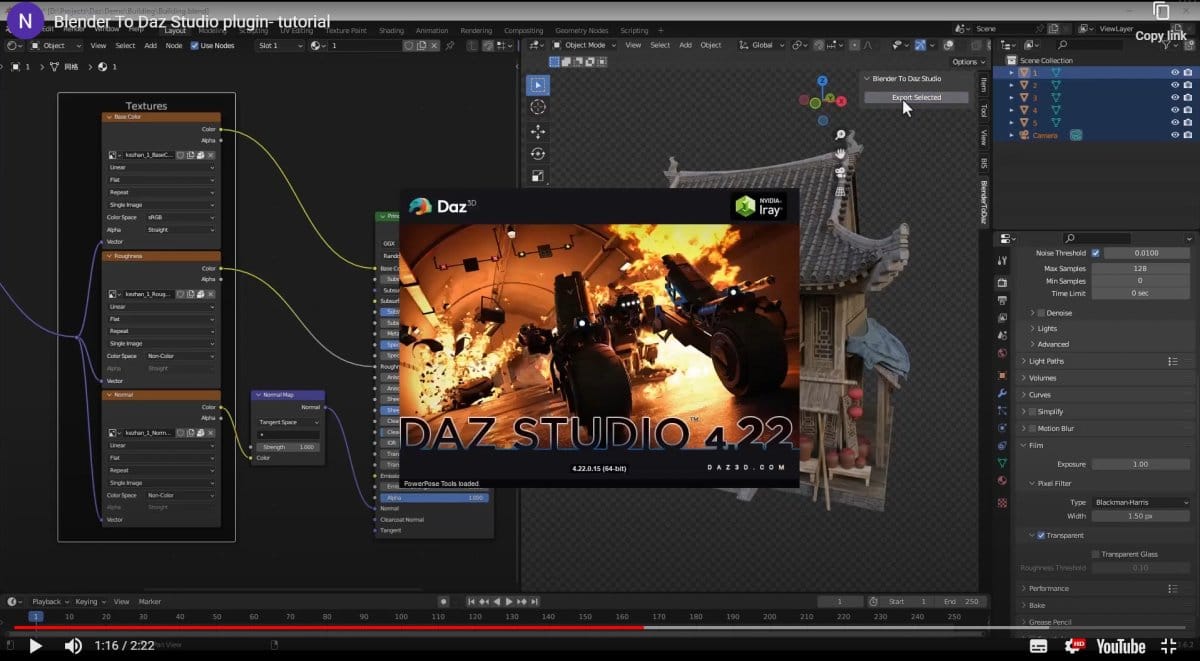
If installation and rig transfer are the bottlenecks in your workflow, Matronius offers a universal installer for third-party DAZ products and a Blender-to-DAZ Studio bridge. Browse the Matronius store to see which tools fit your pipeline, or contact us with questions about compatibility with your current library.
Frequently Asked Questions
Is digital asset management worth it for freelancers?
It depends on library size and how often you reuse assets across projects. A freelancer with a small set of files in one cloud folder may get little from a dedicated system. Once you regularly hunt for textures, presets or models across several folders or marketplaces, the time saved on searching and reinstalling tends to justify the setup effort. Matronius pricing depends on the product and licence, so check the Matronius website for current prices before deciding.
What is the difference between digital asset management and cloud storage?
Cloud storage keeps files safe and accessible, but it relies on folder names and your memory to find them. Digital asset management adds metadata, tags, previews and search across the whole library, plus controlled ways to install or retrieve assets. Cloud storage answers where a file is; a DAM system answers which file you need and whether you already own it.
How should freelancers organise digital files and creative assets?
Start with a consistent folder hierarchy based on asset type, then add a naming convention that includes the creator, asset name and version. Tag assets with the software they work in and the projects that use them. Keep a short written schema so the rules survive when you add new marketplace content. Consistency matters more than the specific scheme you pick.
Can a freelancer manage digital assets without dedicated DAM software?
Yes, for small libraries. A disciplined folder structure, a spreadsheet index and regular backups can work well for a few hundred files. The approach breaks down when libraries grow, when assets come from many marketplaces with different install paths, or when you need to find a specific texture quickly. At that point a DAM tool or plugin usually saves more time than it costs to learn.
